
Our own app for Apple devices, downloaded from the official App Store. Search for it by name: VAR. Got an Intel Mac? That one takes a different version.
The same account works on all of them: sign in once on each device and that is it.
It comes from the official App Store, like any other app.
The one on your own device: iPhone, iPad, Apple TV and Mac each have their own.
In the store search box, type:
VAROn the store it shows as “VAR Player - Unlock your world”.
Reading this on the iPhone or iPad itself? Then you can skip the typing: this button opens the listing directly.
Apple TV has no browser: there, type the name with the remote.
Press Get and confirm with Face ID, Touch ID or your Apple password. The download is free.
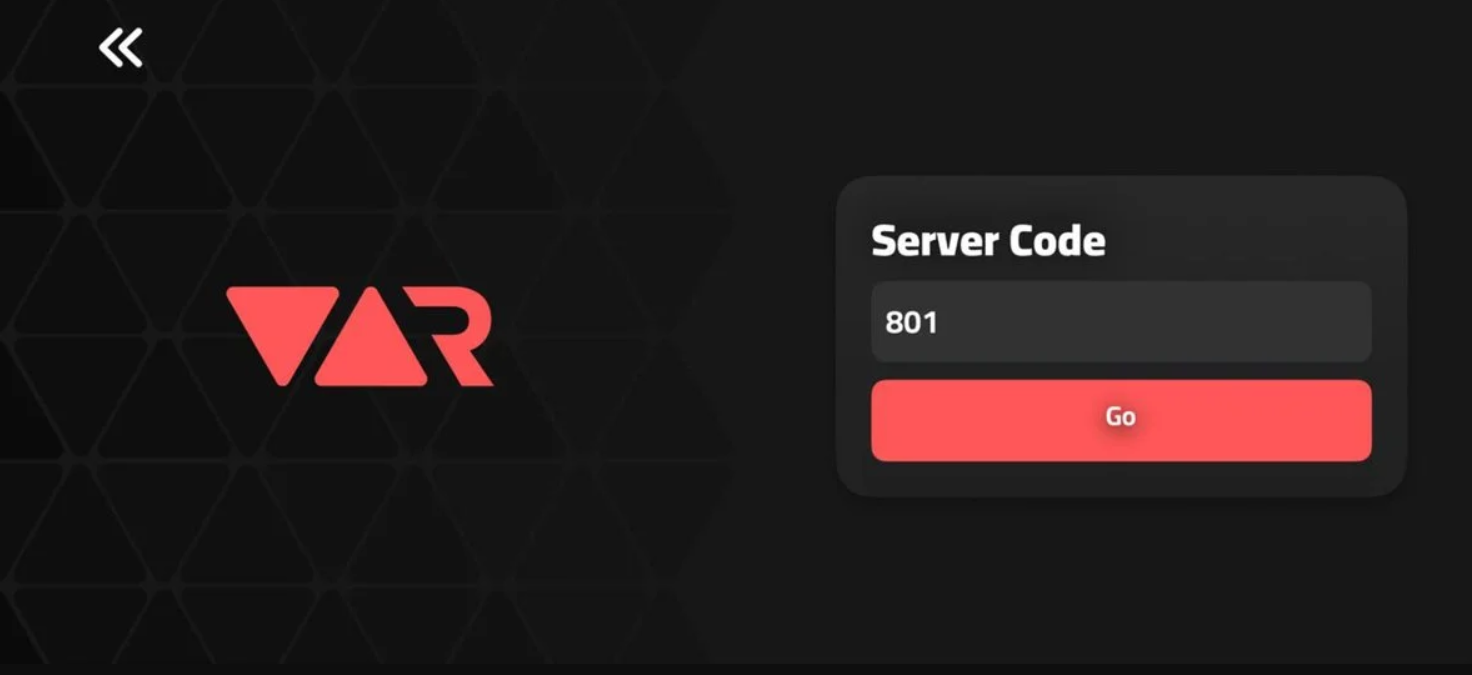
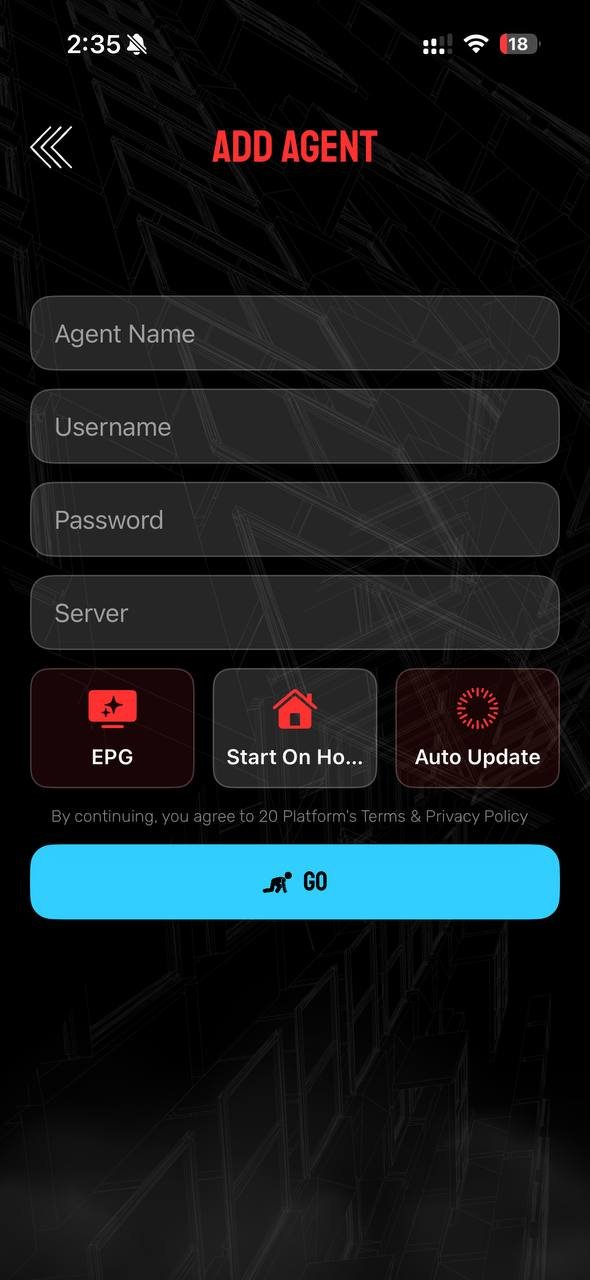
When it opens it asks first for the Code or Server Number: type 801, the same for everyone. Then, on the Add User screen, where it says http://url:port, type WODATV exactly like that, one word in capitals, and below it your username and password. You have it box by box further down. You only do this the first time.
It does not come from the App Store: you download it here and install it like any other Mac program. The account is the same.
It is called WODA-TV-MAC-NEXT.dmg and weighs about 41 MB.
Press the button above. It usually lands in your Downloads folder, named WODA-TV-MAC-NEXT.dmg.
Double-click the downloaded file. A window opens with the app icon: drag it onto the Applications folder, the way you would with any Mac program.
That is the normal Apple warning for programs that do not come from its store, not an error. Close the warning, find the app in Applications, right-click it and choose Open. It asks once more, and this time it lets you through. It only happens the first time.
When it opens it asks for the same details as on the iPhone: in Code or Server Number type 801, and on Add User, where it says http://url:port, type WODATV; the username and password are yours. You have it box by box further down.
When you open the app it asks first for the server code and then for your details. Fill them in like this, in this order.
✅ Confirm and that is it: you can start enjoying the service.
The latest WODA-TV build for Apple: modern interface, very fast.
Save movies and series on the device and watch them with no internet: on a plane, in the car or anywhere without signal. Made for trips.
Channels by category and a programme guide with times and descriptions. Full screen with one tap.
With poster, plot, genre, director, running time, rating and cast with photos. Series are sorted by season and episode.
It searches the whole catalogue, not just the folder you have open. And accents do not matter: type «raiz» and «Raíz» shows up.
The app remembers where you were in every movie or episode, and you can keep your favourite channels and titles within reach.
Switch the app language from settings whenever you want. Texts and dates adapt on their own.
Real screenshots of the app running, no mock-ups.
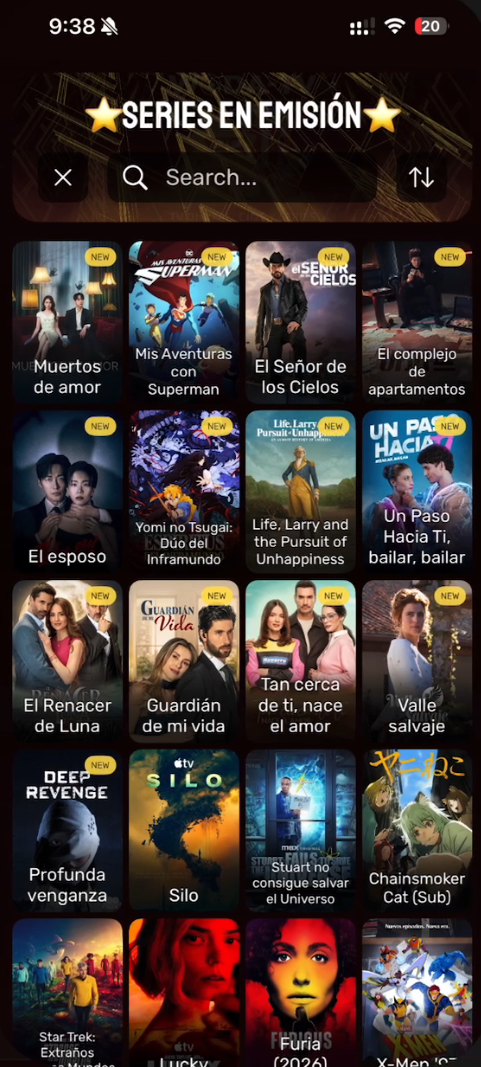
The app working on an iPhone, so you can see how it handles.
The questions we get most, answered.
That is expected: on Apple's store it does not go by that name. Search for VAR: it comes up first, as “VAR Player - Unlock your world”.
Yes, but with a different version. Macs with an M chip (M1, M2, M3 and later) install the App Store app, just like the iPhone. Intel Macs cannot do that, so they get their own installer: download it here. The account and the catalogue are the same on both.
That is the normal Apple warning for programs that do not come from its store. Find the app in your Applications folder, right-click it and choose Open: it asks once more and then lets you through. You only need to do this the first time. A plain double-click will just show the warning again.
Open the movie or episode detail and use the download option. It is saved on the device and you can watch it with no connection, on a flight for instance. It takes up space, so delete it once you have watched it.
In Code or Server Number type 801, and in url:port type WODATV. They are the same for every customer. The only details that are yours are the username and the password.
It is almost always upper/lower case or an extra space at the end. Type them slowly and without autocomplete. If you are sure they are right, your account may have expired: your service provider can check that.
The app retries by itself for a few seconds. If it stays the same, try another channel: if the rest work, the problem is that one channel, not your installation. If they all fail, check your internet connection.
You can install the app on several devices. How many can watch at the same time depends on the plan you signed up for: your service provider can confirm that.
Message us on WhatsApp telling us which step you got stuck on and we will sort it out with you.
WhatsApp support